
GhostPass
A vault encrypted on your device, on iPhone, on iPad and in the browser. This is the support page. It says what the product does, what it does not, and how to reach us.
Last updated:
What GhostPass does
Your master password becomes a key on your device, through Argon2id with 64 MiB of memory and 3 passes. That key opens the vault, encrypted with XChaCha20-Poly1305, and it never crosses the network. The server holds no primitive capable of opening a vault: this is not an internal policy, it is what the code contains.
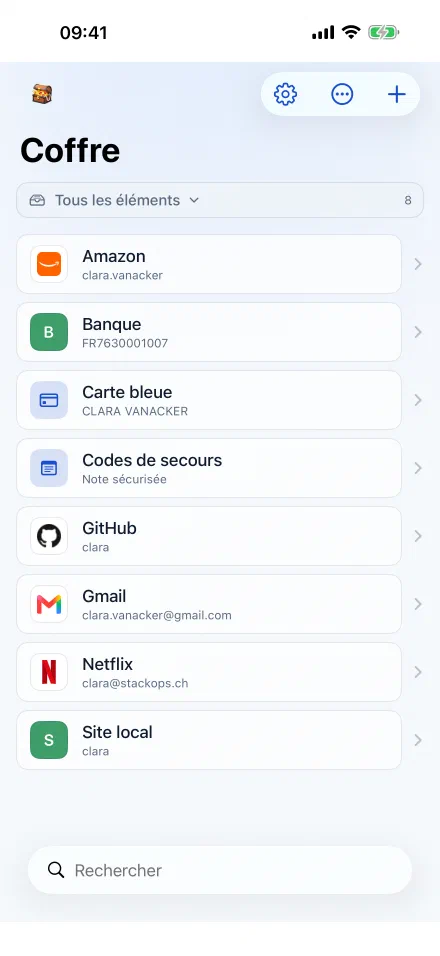
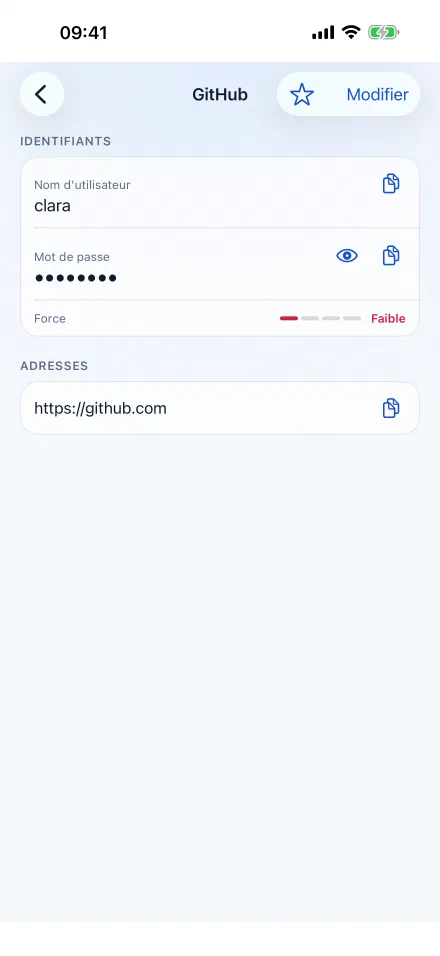
- The vault: logins, notes, cards, folder tree, trash, per-entry history.
- Autofill, in Safari as well as in your apps, one-time codes included.
- Biometric unlock, through Face ID or Touch ID.
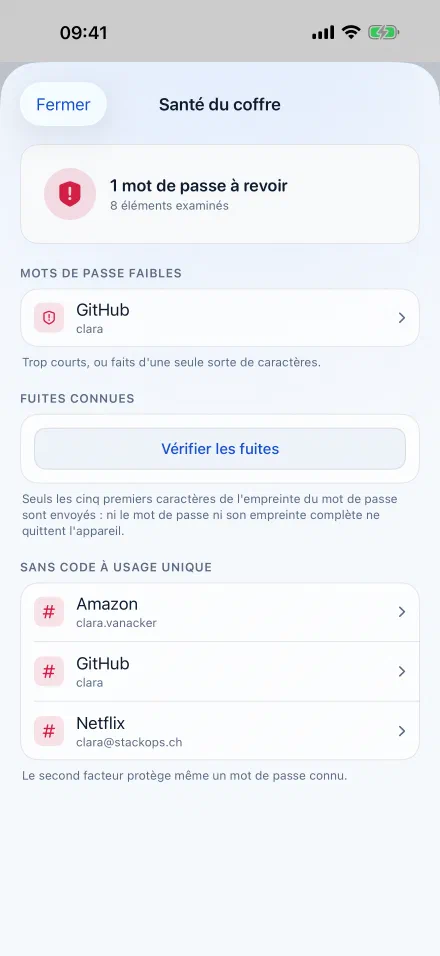
- Vault health: passwords too short, reused, or without a second factor. The computation happens on the device. Checking known breaches sends only the first five characters of a fingerprint, never the password nor its full fingerprint.
- Team vaults: shared collections, groups, and removing a member rotates the team key instead of setting a flag in a database.
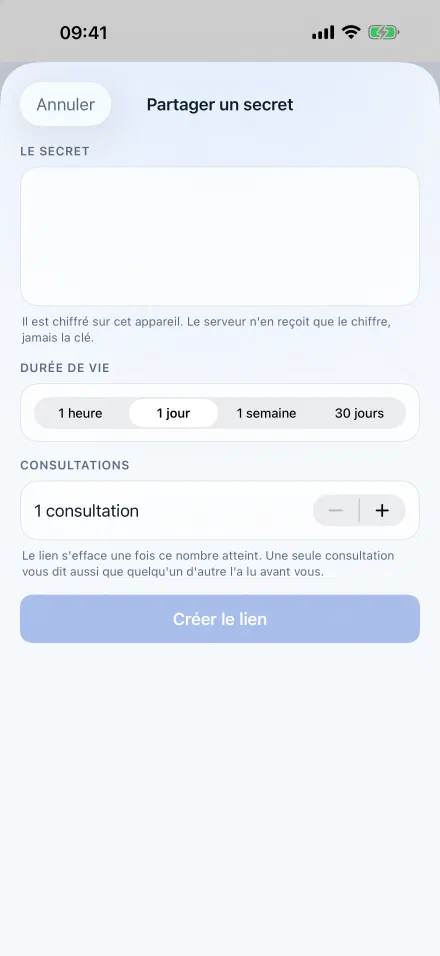
- One-time secret sharing: a link that expires at the date you set or after the number of views you choose. Its key lives in the URL fragment, the one part of an address that never travels over the network.
- The second factor: built-in TOTP, and FIDO2/WebAuthn passkeys in the web app.
- Emergency access: someone close to you can open your vault after a delay you set, during which you can refuse.
- Import and export. The formats recognised are not quite the same on both sides, and it is better read here than discovered with a file in hand: the web app reads exports from 1Password, Bitwarden, Proton, Chrome and Firefox; the iOS app reads those from Bitwarden, Dashlane, 1Password, LastPass and Chrome. The CSV export of your personal vault and account deletion both happen from the interface, without writing to anyone.
Autofill on iPhone
It was tested on a real iPhone on 14 September 2026, and not only in the simulator.
The autofill extension and the app are two separate processes. The app places an encrypted copy of the vault on the device; the extension reads that copy, and never talks to the server. Its code contains no network call at all, which can be verified with a single search in the repository. The practical consequence is that autofill works without a network, on the underground or abroad.
To enable it: in the iOS settings, under passwords, set GhostPass as an autofill source. The suggestion then appears above the keyboard, on sign-in pages.
What GhostPass does not do
It does not recover your master password. If you lose it along with your recovery kit, the vault is lost, and we cannot reopen it. This is the same property as above, seen from the other side, and it is better known before you start than after.
It does not hide the structure of your vault. The content of your secrets is inaccessible to us; the names of organisations, collections and groups are not, and your email address serves as your sign-in identifier, so it is in cleartext. Knowing that you have a collection named “Bank” does not say what it contains, but it is not nothing. The detail, line by line, is in the privacy policy.
The iOS app does not offer passkeys yet. They exist in the web app, as a second factor and for passwordless sign-in. On iPhone, the available second factor is TOTP.
It sells nothing. No trackers, no advertising, no behavioural analysis, no storefront inside the app.
Where your vault runs
GhostPass is self-hosted, and that is the heart of the model rather than a footnote. The software is free, the instructions live in its repository, and if you would rather trust no one, the trusted party becomes you.
For those who would rather not host, StackOps makes a machine available: it is the machine that is on offer, never the software. Write to us if you want to talk about it.
GhostPass is under the Elastic License 2.0: the code is readable, modifiable and self-hostable, the only limit being reselling it as a hosted service. That is source available, not open source in the OSI sense.
Getting help
Write to contact@stackops.ch. It is the only support address, and it is read by the people who write the code.
For the answer to be of any use, say in your message:
- the device and iOS version, or the browser if you are on the web;
- what you were doing, what you expected, and what happened instead;
- the exact text of the error message, if there was one;
- the address of the server you connect to, if it is not ours.
Never send your master password, or the content of a vault entry. We do not need any of that to help you, and we would not be able to do anything with it anyway.
We do not advertise a guaranteed response time. There is no support team on rotation, and announcing an hour we would not keep would cost more than writing it this way.
Reporting a problem
A malfunction is reported to the same address, contact@stackops.ch.
A security vulnerability too, and it goes ahead of everything else: we acknowledge receipt within 72 hours, we keep you posted on what follows, and we credit you if you wish.
For a request concerning your personal data, access, rectification, erasure or portability, write to privacy@stackops.ch. What the server sees and what it cannot see is written product by product in the privacy policy, which names GhostPass.
On Android
An Android app exists and is progressing in the repository. It has no release date, and we would rather not announce one than keep one badly.